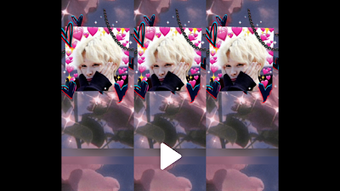

Download Video Glitch Effect APK – Glitch FX, Video Editor, Android, Free
Overview
The Video Glitch Effect APK is a free Android application developed by VivaCut professional video editor, designed to transform ordinary video clips into visually striking, artistic compositions using glitch-style effects. The software targets content creators, social media users, and video enthusiasts seeking to add a dynamic, experimental flair to their videos. It enables users to apply a range of visual distortions, color shifts, and digital artifacts that mimic the aesthetic of digital glitches, commonly used in modern digital art and music videos.
The app is particularly suited for users who want to create standout content for platforms like Instagram, TikTok, and YouTube Shorts. Whether you're a beginner exploring creative editing or a more experienced user refining your visual style, the app offers tools to customize effects and enhance the overall impact of your videos. Real-world usage scenarios include editing short-form videos for social media, creating music video intros, or adding artistic flair to personal projects.
The developer did not provide additional details about the company’s background or technical development practices.
Key Features & Capabilities
- Glitch Video Effects: Apply dynamic visual distortions such as color channel shifts, screen tearing, and pixelation to give videos a digital art aesthetic.
- Customizable Filters: Adjust intensity, timing, and color settings to tailor the glitch effect to your creative vision.
- Animated Text & Stickers: Add expressive text and animated stickers to enhance storytelling and visual interest.
- Transition Effects: Choose from standard, blur, and distortion transitions to create smooth or dramatic scene changes.
- Audio Integration: Sync music and sound effects to match the rhythm and mood of the glitch visuals.
- User-Friendly Interface: Intuitive layout designed for quick access to tools, suitable for users with varying levels of experience.
These features allow users to experiment with digital artistry in real time. For example, a social media creator might use the glitch effect to emphasize a dramatic moment in a short video, while a music video editor could layer multiple transitions and audio cues for a high-energy sequence. The app’s emphasis on customization ensures that each output can be uniquely tailored, making it ideal for users who value originality and visual impact.
User Interface, Workflow & Performance
The app features a clean, intuitive interface optimized for touch-based navigation on Android devices. Key tools are organized into clearly labeled sections, allowing users to access effects, transitions, audio, and text options with minimal effort. The workflow is streamlined, enabling users to import a video, apply effects in sequence, and export the final result in a few simple steps.
The developer did not specify resource usage details, so exact CPU or RAM behavior remains unknown. Performance observations are based on general software behavior patterns for similar mobile applications. The app appears to function smoothly during standard editing tasks, with no reported instability in typical usage.
However, complex effects with multiple layers may affect playback speed on lower-end devices. The developer did not provide information about background processing or battery consumption.
Compatibility & System Requirements
Video Glitch Effect APK is designed for Android operating systems. The exact version compatibility was not specified by the developer. Installation size is not publicly disclosed.
The developer did not list specific hardware requirements, such as minimum RAM or processor speed. Compatibility information was partially provided. Users should ensure their device meets standard Android app requirements for installation and operation.
The app is distributed as an APK file, meaning it is intended for direct installation outside the Google Play Store. This may require enabling "Unknown Sources" in device settings. No information was provided about support for tablets or foldable devices.
Pros and Cons
Pros
- Free to download and use with no in-app purchase barriers
- Intuitive interface suitable for beginners and casual users
- Wide range of customizable glitch effects and transitions
- Supports animated text, stickers, and audio integration
- Optimized for mobile video editing on Android devices
Cons
- Exact system requirements were not listed
- Performance on older or low-end devices may vary
- No official support for iOS or desktop platforms
- APK distribution may raise security concerns for some users
- Limited information on update frequency or developer support
FAQ Section
Is Video Glitch Effect APK safe to download?
The app is distributed as an APK file, which may require enabling "Unknown Sources" on your device. While it is developed by VivaCut professional video editor, users should scan the file with a trusted antivirus tool before installation to ensure safety.
Can I use this app offline?
Yes, once installed, the app functions without an internet connection, allowing for full editing and export capabilities offline.
Does the app support iOS devices?
No, the app is currently available only for Android. There is no official version for iOS or other operating systems.
How often are updates released?
The developer did not provide information about update frequency or release schedule.
Is the software free to use?
Yes, the Video Glitch Effect APK is available at no cost. There is no mention of in-app purchases or subscription models in the provided information.
Final Thoughts
Video Glitch Effect APK delivers a powerful, accessible tool for Android users seeking to add creative flair to their videos. With its focus on glitch-style effects, customizable transitions, and multimedia integration, it stands out as a unique option in the mobile video editing space. The app’s user-friendly design lowers the barrier for beginners, while its customization options offer enough depth for more experienced creators.
While system requirements and performance details are limited, the app’s core functionality appears stable and effective for its intended purpose. For anyone looking to make their videos more dynamic and visually engaging, this tool offers a compelling solution. Download Video Glitch Effect APK now and unlock your creative potential.







